Skip to content
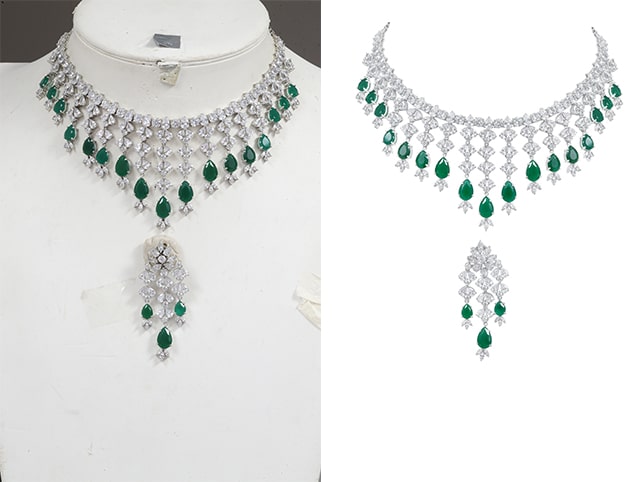
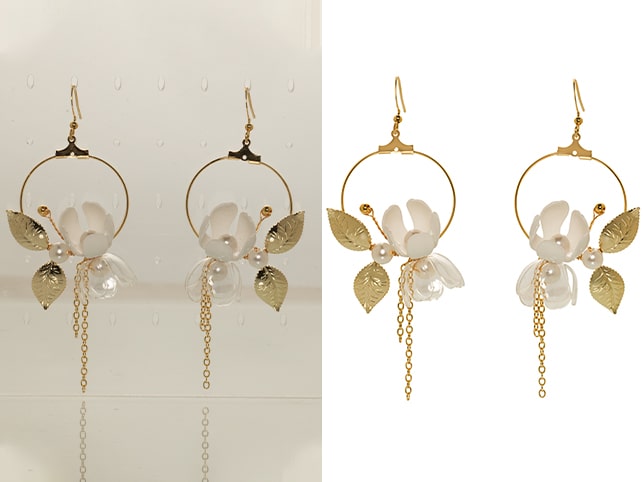
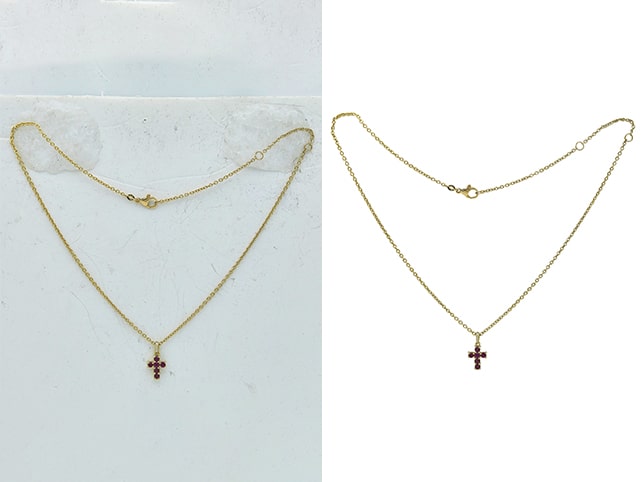
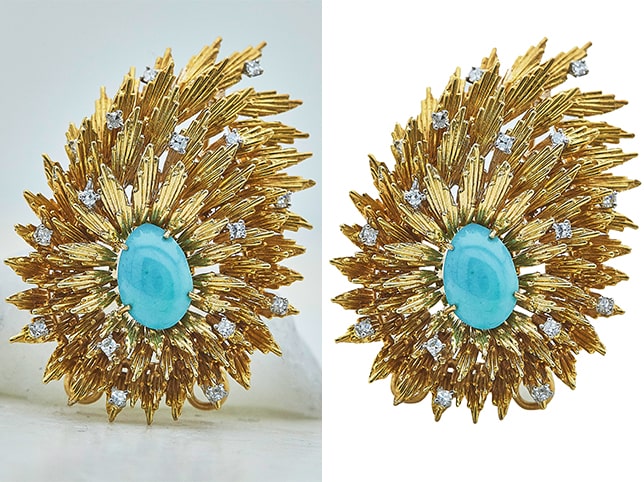
- Clipping Path Precisely isolate jewelry from the background for use in catalogs or web
- Background Cleanup/ChangeRemove or replace the background with white, gradient, or custom settings
- Shadow & Highlight Balancing Adjust lighting to create depth and detail
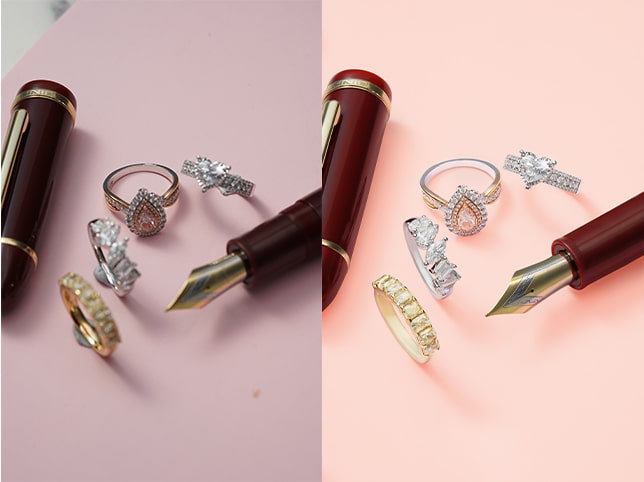
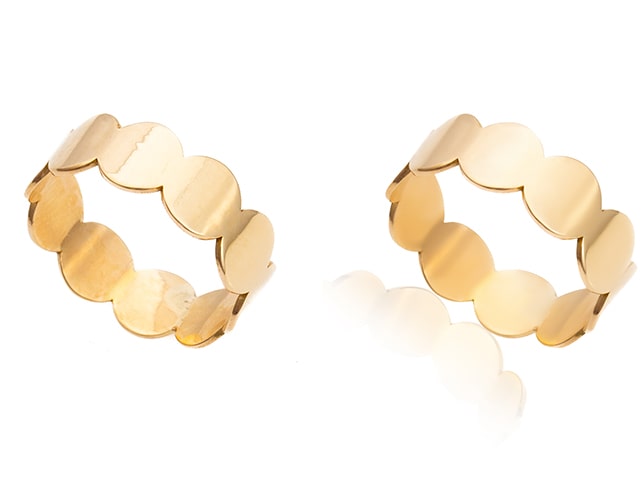
- Shine & Glow EnhancementEnhance sparkle and shine while keeping the jewelry natural-looking
- Reflection & Glare Removal Remove unwanted reflections and harsh light from metal or stones
- Color CorrectionAdjust gold, silver, diamond, or gemstone tones for accurate brilliance
- Dust & Scratch Removal Eliminate tiny particles, smudges, and imperfections
- Clipping Path Precisely isolate jewelry from the background for use in catalogs or web
- Background Cleanup/ChangeRemove or replace the background with white, gradient, or custom settings
- Shadow & Highlight Balancing Adjust lighting to create depth and detail
- Shine & Glow EnhancementEnhance sparkle and shine while keeping the jewelry natural-looking
- Reflection & Glare Removal Remove unwanted reflections and harsh light from metal or stones
- Color CorrectionAdjust gold, silver, diamond, or gemstone tones for accurate brilliance
- Dust & Scratch Removal Eliminate tiny particles, smudges, and imperfections
- Clipping Path Precisely isolate jewelry from the background for use in catalogs or web
- Background Cleanup/ChangeRemove or replace the background with white, gradient, or custom settings
- Shadow & Highlight Balancing Adjust lighting to create depth and detail
- Shine & Glow EnhancementEnhance sparkle and shine while keeping the jewelry natural-looking
- Reflection & Glare Removal Remove unwanted reflections and harsh light from metal or stones
- Color CorrectionAdjust gold, silver, diamond, or gemstone tones for accurate brilliance
- Dust & Scratch Removal Eliminate tiny particles, smudges, and imperfections
- Clipping Path Precisely isolate jewelry from the background for use in catalogs or web
- Background Cleanup/ChangeRemove or replace the background with white, gradient, or custom settings
- Shadow & Highlight Balancing Adjust lighting to create depth and detail
- Shine & Glow EnhancementEnhance sparkle and shine while keeping the jewelry natural-looking
- Reflection & Glare Removal Remove unwanted reflections and harsh light from metal or stones
- Color CorrectionAdjust gold, silver, diamond, or gemstone tones for accurate brilliance
- Dust & Scratch Removal Eliminate tiny particles, smudges, and imperfections
- Clipping Path Precisely isolate jewelry from the background for use in catalogs or web
- Background Cleanup/ChangeRemove or replace the background with white, gradient, or custom settings
- Clipping Path Precisely isolate jewelry from the background for use in catalogs or web
- Background Cleanup/ChangeRemove or replace the background with white, gradient, or custom settings
- Clipping Path Precisely isolate jewelry from the background for use in catalogs or web
- Background Cleanup/ChangeRemove or replace the background with white, gradient, or custom settings
- Shine & Glow EnhancementEnhance sparkle and shine while keeping the jewelry natural-looking
- Reflection & Glare Removal Remove unwanted reflections and harsh light from metal or stones
- Color CorrectionAdjust gold, silver, diamond, or gemstone tones for accurate brilliance
- Dust & Scratch Removal Eliminate tiny particles, smudges, and imperfections
- Clipping Path Precisely isolate jewelry from the background for use in catalogs or web
- Background Cleanup/ChangeRemove or replace the background with white, gradient, or custom settings